REST API Reference
Boot the API
The server listens on http://localhost:8080. Open
http://localhost:8080/docs to load the
interactive Swagger UI (rendered by FastAPI from the OpenAPI schema at
/openapi.json).
Observability wiring
todo currently does not execute LangChain calls, so tracing output is limited.
The bootstrap is still enabled to keep future LLM features observable without
additional wiring.
flowchart LR
    REQ["HTTP request"]
    APP["todo-web create_app()"]
    OBS["bootstrap_from_env('concierge-todo')"]
    FUTURE["Future LangChain path -> trace_config(...)"]
    F["Foundry tracing UI"]
    M["MLflow UI :5000"]
    REQ --> APP --> OBS --> FUTURE
    FUTURE --> F
    FUTURE --> M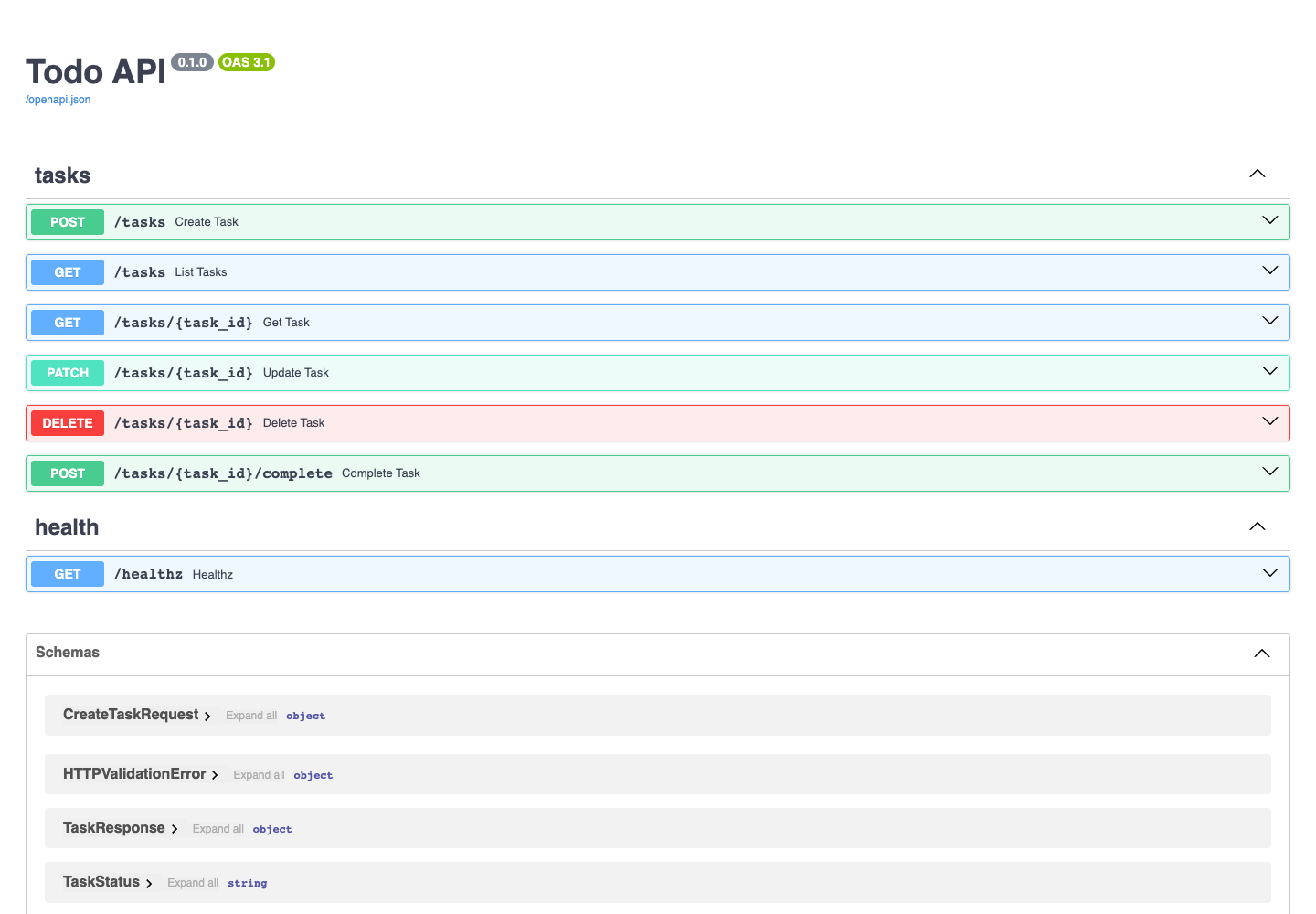
Endpoints at a glance
| Method | Path | Description |
|---|---|---|
| POST | /tasks |
Create task |
| GET | /tasks |
List tasks |
| GET | /tasks/{task_id} |
Get task |
| PATCH | /tasks/{task_id} |
Update task |
| POST | /tasks/{task_id}/complete |
Complete task (status -> DONE) |
| DELETE | /tasks/{task_id} |
Delete task |
| GET | /healthz |
Health check |
Try a request from the browser
Swagger UI exposes every endpoint with built-in request/response examples.
The screenshot below shows what you see after clicking the POST /tasks row:
the request body schema, the example payload, and the response codes.
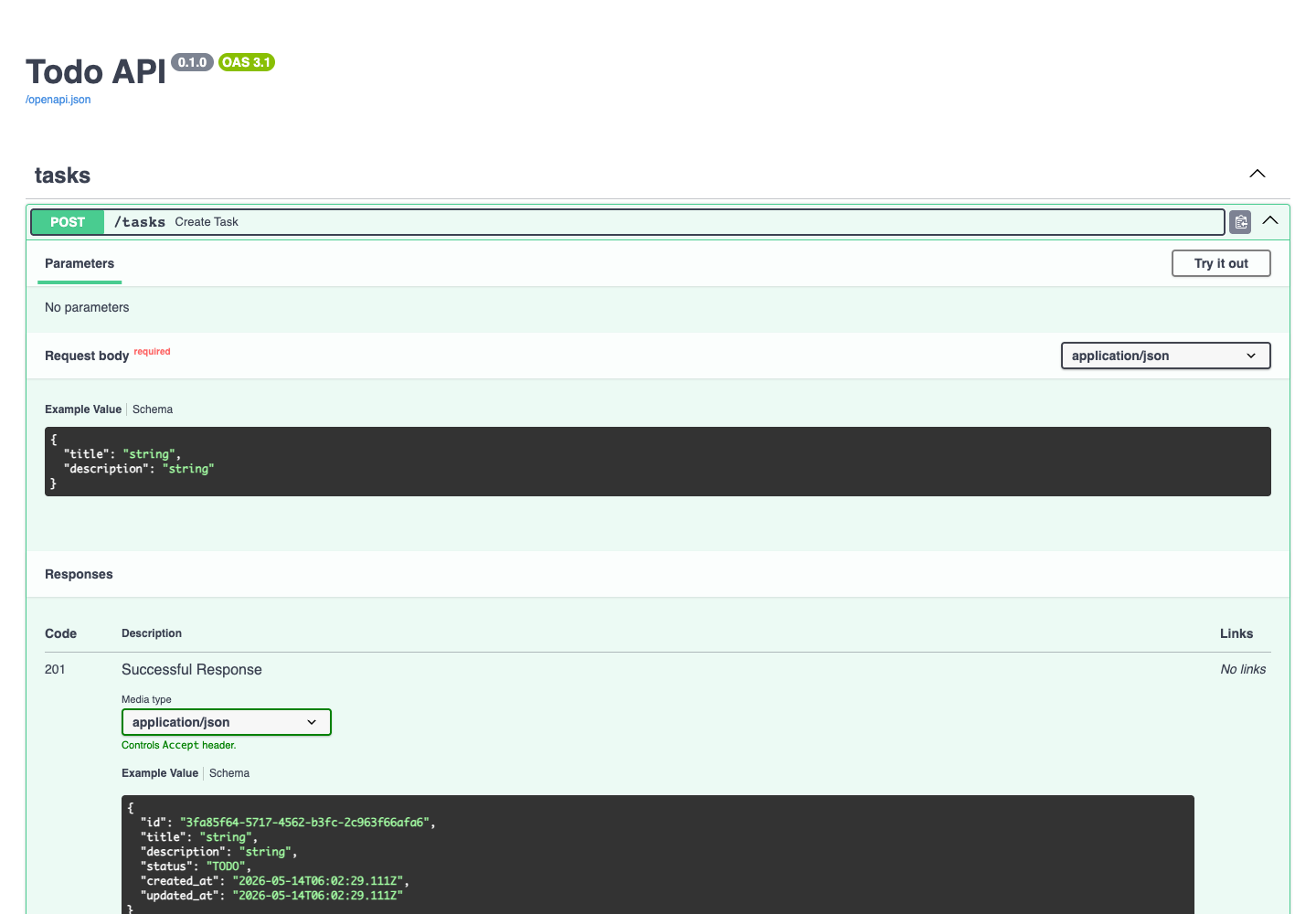
- Click any endpoint row to expand it.
- Click Try it out, edit the request body, then click Execute.
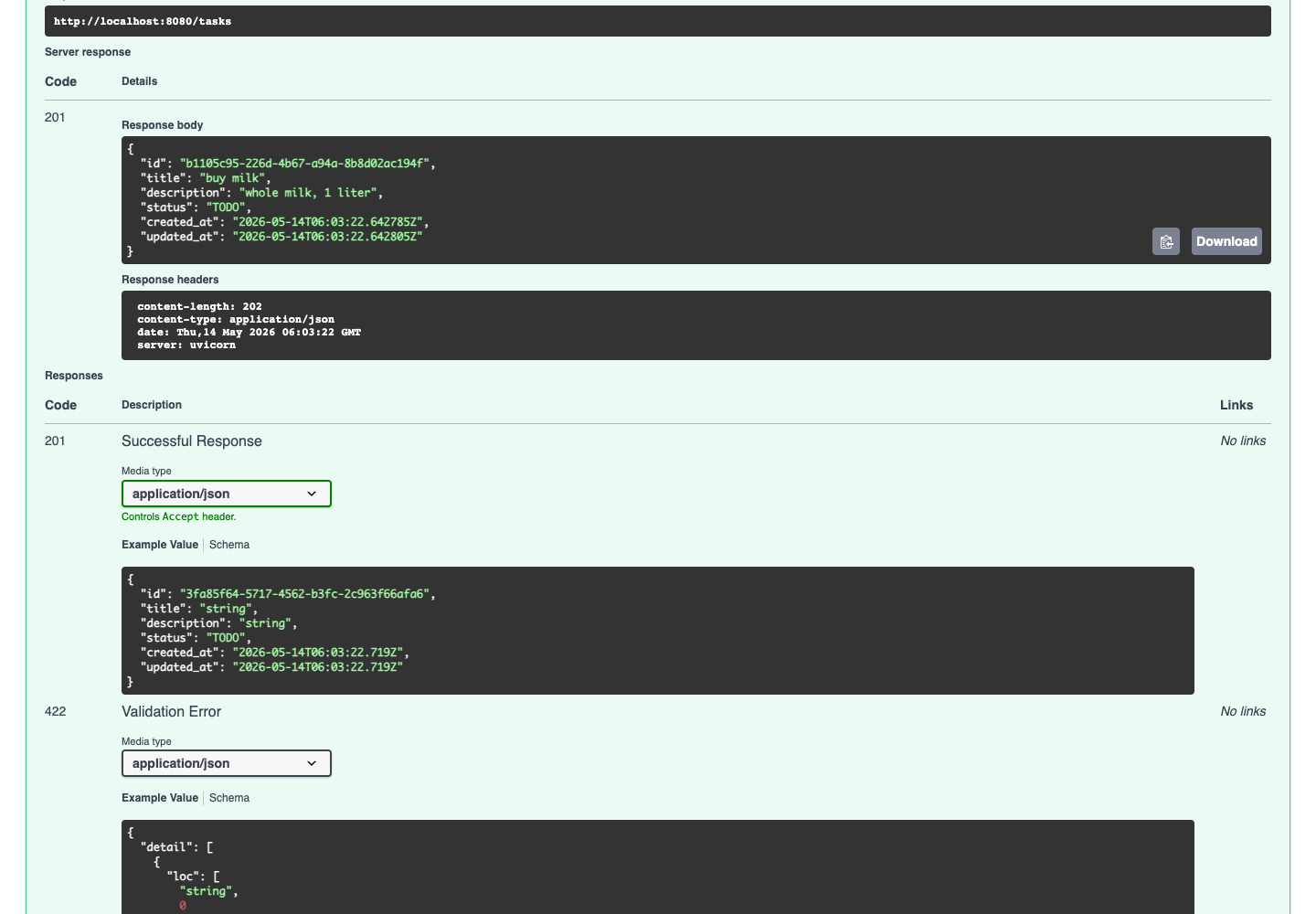
- The "Server response" panel shows the status code, body, and headers.
For POST /tasks, sending {"title": "buy milk", "description": "whole milk, 1 liter"}
returns 201 Created with the persisted task:
Curl equivalents
The Swagger UI prints the equivalent curl invocation for every request, so
the flow below is identical to clicking through the UI.
# 1. Create
curl -X POST http://localhost:8080/tasks \
  -H 'content-type: application/json' \
  -d '{"title":"buy milk","description":"whole milk, 1 liter"}'

# 2. List
curl http://localhost:8080/tasks

# 3. Update (replace <id> with the id returned from step 1)
curl -X PATCH http://localhost:8080/tasks/<id> \
  -H 'content-type: application/json' \
  -d '{"status":"IN_PROGRESS"}'

# 4. Complete
curl -X POST http://localhost:8080/tasks/<id>/complete

# 5. Delete
curl -X DELETE http://localhost:8080/tasks/<id>
Response shape
The TaskResponse schema is auto-generated from the Pydantic model and is
visible at the bottom of the Swagger page. Every task carries a UUID id,
the title / description, a status value (TODO / IN_PROGRESS /
DONE), and timestamps: