Overview
Overview
A minimal Todo app implemented with clean architecture. The same
business logic (application/use_cases.py, domain/entities.py) is shared
between two entry points - a Typer CLI and a FastAPI Web API - so the
boundaries between layers stay visible.
flowchart LR
    Web[FastAPI Routes] --> App[Application Use Cases]
    CLI[Typer Commands] --> App
    App --> Domain[Domain Entities / Value Objects]
    Web --> Repo[Repository]
    CLI --> Repo
    Repo --> Domain
TL;DR (60-second tour)
# 1. Boot the API (uses the in-memory backend by default)
uv run todo-web

# 2. Open Swagger UI in your browser
open http://localhost:8080/docs

# 3. Or drive it from the CLI in another terminal
uv run todo-cli task create --title "buy milk"
uv run todo-cli task list
The Swagger UI looks like this. Every endpoint is interactive - click any row, then Try it out, to send real requests against the running server.
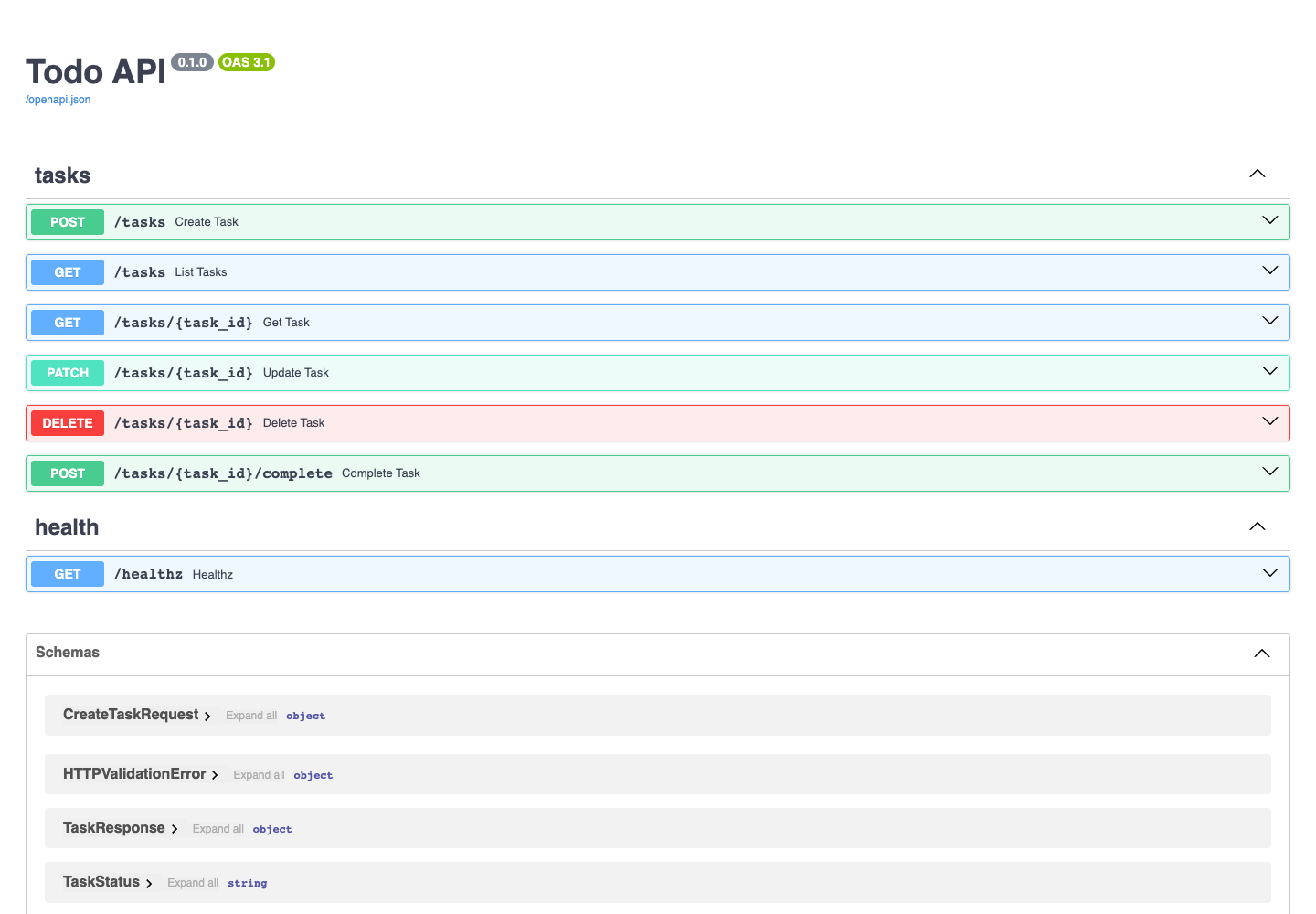
Continue to the REST API Reference for a verb-by-verb walkthrough, or the CLI Reference for the Typer commands.
Choose a persistence backend
All Todo configuration is centralised in concierge.settings.TodoSettings,
which reads TODO_REPOSITORY_BACKEND and TODO_TABLE_NAME from the
environment (or .env). The backend is restricted to the
concierge.settings.TodoRepositoryBackend enum - typos are rejected at
startup.
TODO_REPOSITORY_BACKEND |
Enum member | When to use it |
|---|---|---|
memory (default) |
TodoRepositoryBackend.MEMORY |
First read-through; data is lost on restart |
postgres |
TodoRepositoryBackend.POSTGRES |
Local Docker Compose PostgreSQL (POSTGRES_* variables) |
azure-postgres |
TodoRepositoryBackend.AZURE_POSTGRES |
Azure Database for PostgreSQL Flexible Server (AZURE_* variables) |
PostgreSQL Quickstart (Docker Compose)
Set TODO_REPOSITORY_BACKEND=postgres in .env (see .env.template), then:
# 1. Start the local PostgreSQL service
docker compose up -d postgres

# 2. Initialise the schema
uv run todo-cli db init

# 3. Start the API server backed by PostgreSQL
uv run todo-web

# 4. Create and list tasks (data is now persisted)
uv run todo-cli task create --title "buy milk"
uv run todo-cli task list
Azure Database for PostgreSQL
Set TODO_REPOSITORY_BACKEND=azure-postgres and the AZURE_* variables in
.env (see .env.template), then:
# Entra ID authentication (AZURE_USE_ENTRA_AUTH=true)
uv run todo-cli db init
uv run todo-cli task create --title "cloud task"